IGNOU DEB ID Not Generated 2026: ABC ID Linking, OTP Error & Complete Solution
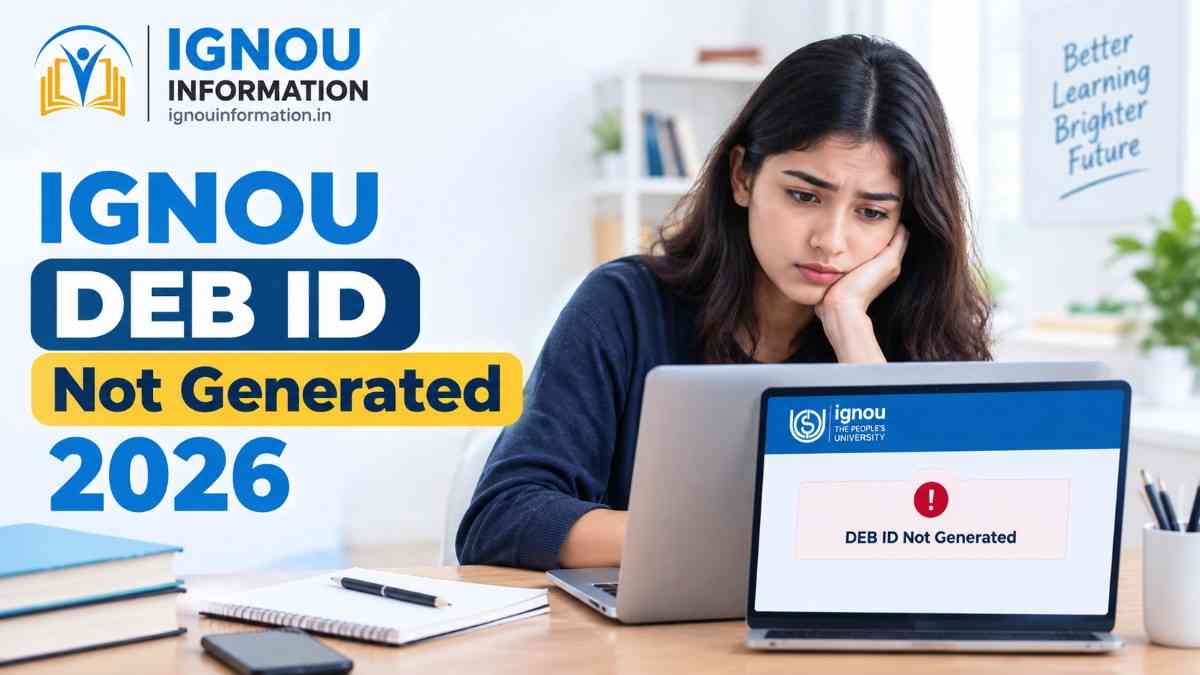
IGNOU DEB ID Not Generated 2026: ABC ID Linking, OTP Error & Complete Solution
Still, the screen shows a pending status, an invalid ABC ID message, or "OTP not received". If your IGNOU DEB ID not generated 2026 problem looks like this, this guide is for you. It explains what DEB ID and ABC ID actually are, why the process gets stuck, what you can safely try yourself, and how to complain properly if nothing works. It covers both fresh applicants and existing students.
Quick Answer
-
What it is: DEB ID is a unique learner number created on the UGC Distance Education Bureau (DEB) portal for distance (ODL) and online programmes.
- Why you may need it: IGNOU's DEB ID notice says it is mandatory for admission to ODL and online programmes, and the application is submitted only after the DEB ID is validated.
- What to check first: your ABC ID (Academic Bank of Credits ID) must exist and open correctly, and your name, date of birth and mobile number must be consistent across records.
- New ABC ID again? No. Fix the existing one instead of creating more.
- When to contact IGNOU: when your details are correct and the error continues after a few careful attempts, submit a grievance on iGRAM with screenshots.
Official Links Students May Need
Use only these, and reach them from the IGNOU website if a link ever fails. Avoid lookalike sites and forwarded links.
- Official IGNOU website
- IGNOU admission portal on Samarth
- IGNOU Samarth student portal
- UGC-DEB student DEB ID page
- ABC (Academic Bank of Credits) portal
- DigiLocker
- IGNOU iGRAM grievance portal
What Is an IGNOU DEB ID?
DEB stands for Distance Education Bureau, the UGC unit that oversees distance and online education. The DEB ID is a unique number that identifies you as a learner in such programmes. Its purpose, as stated in coverage of IGNOU's notice, is to ensure students enrol only in UGC-recognised programmes.
Many students confuse it with other numbers, so here is the simple version.
|
Term |
What It Means |
Where It Is Used |
|
Enrollment number |
Your IGNOU student number, given after admission is confirmed |
Student services, assignments, exam forms |
|
Control number |
A reference number some IGNOU application processes generate. You may see an application reference instead |
Tracking an application or admission status |
|
ABC ID |
Academic Bank of Credits ID, a digital account for academic credits |
Created via ABC portal or DigiLocker; needed for DEB ID |
|
DEB ID |
Unique learner number from UGC-DEB, created using your ABC ID |
IGNOU admission form for ODL and online programmes |
|
Samarth login |
Your username and password for IGNOU's Samarth portals |
Applying, profile, student services |
If you are unsure about your Samarth credentials, our IGNOU Samarth Portal login and registration guide will help.
Why Is the IGNOU DEB ID Important?
Officially, it is a required step before you can submit an IGNOU ODL or online admission application. It also connects your student academic account to the wider ABC record system, which relates to academic credits.
Some websites claim it is also asked at exam form or re-registration stage. I could not confirm that from an official IGNOU notice, so check the latest notice for your session before assuming every student faces the same requirement.
Why Is My IGNOU DEB ID Not Generated?
These are possibilities, not a diagnosis. Only the portal message or IGNOU can confirm what went wrong in your case.
Difference Between ABC ID and DEB ID
|
Point |
ABC ID |
DEB ID |
|
Full form |
Academic Bank of Credits ID |
Distance Education Bureau ID |
|
Issued through |
ABC portal or DigiLocker |
UGC-DEB portal |
|
Purpose |
Stores academic credits digitally |
Identifies a learner in distance and online programmes |
|
Order |
Created first |
Created second, using ABC ID |
|
Used for |
Credit records; prerequisite for DEB ID |
IGNOU ODL and online admission form |
Creating an ABC ID does not automatically create a DEB ID. It is a separate request on a separate portal, and it relies on details from your ABC record. If those details are wrong, or the new ABC ID is not yet recognised, the DEB step can fail.
How to Create or Check ABC ID Before Generating DEB ID
Keep these ready:
- Aadhaar or other valid identity details
- The mobile number linked with your Aadhaar
- Your correct name and date of birth
- IGNOU programme details
- Enrollment number or application details, if the form asks
Then follow these steps:
- Open the ABC portal or DigiLocker from the official links above.
- Sign in or register using your Aadhaar-linked mobile number.
- Follow the ABC ID option on the live portal. Button names and menus can change, so go by what you see on screen.
- Check that the name and date of birth shown are correct.
- Note your ABC ID and take a screenshot.
If you already have an ABC ID, just confirm that it opens properly. Do not create another.
How to Generate IGNOU DEB ID 2026
Exact steps may change with the portal interface, so follow the labels on the live UGC-DEB page.
- Open the UGC-DEB student DEB ID page from the official link.
- Log in or register if the portal asks.
- Enter your ABC ID.
- Select the university or enter academic details only if the form asks for them.
- Complete OTP verification.
- Review your name, date of birth and programme details carefully.
- Submit the request once.
- Save the confirmation or a screenshot.
- Check your DEB ID status again later.
Fresh applicants: IGNOU's notice says to keep the DEB ID ready before filling the online application. If you are starting admission, our IGNOU admission guide on process, documents, fees and eligibility covers the rest.
Existing students: the notice is addressed to learners who wish to enrol. If a portal asks you for a DEB ID, for example at re-registration, follow that portal's message or the latest IGNOU notice. I could not verify one rule that applies to everyone.
What to Do If IGNOU OTP Is Not Received?
-
Check your mobile network and SMS storage.
- Wait a few minutes before requesting another OTP.
- Confirm which number is registered with Aadhaar or ABC.
- Avoid repeated OTP requests, which may delay delivery.
- Try another browser, clear cache, or use incognito mode.
- Try during less busy hours.
- Check whether the portal is temporarily unavailable.
- If it continues, contact official support through iGRAM.
For the IGNOU side, if your registered mobile or email is outdated, the IGNOU mobile number and email change guide explains how to update it.
What to Do If Name or Date of Birth Does Not Match?
Do not create multiple accounts with different details. Compare each record first.
|
Record |
What to Compare |
|
Aadhaar |
Exact name spelling, date of birth |
|
ABC ID |
Name and date of birth shown in your account |
|
IGNOU admission form |
Details you submitted |
|
Samarth profile |
Name, date of birth, contact details |
|
Enrollment record |
Details printed on your admission or ID record |
If one record is wrong, correct that record at its source. IGNOU-side errors may need an official profile correction or grievance request. Correction is not automatic, so do not expect one.
When Should Students Contact IGNOU?
Contact the university when:
- Admission is confirmed but DEB ID remains pending
- ABC ID is linked but the portal does not recognise it
- Personal details do not match
- OTP cannot be received after repeated attempts
- The portal shows an unknown technical error
- Enrollment number is active but DEB ID is still not generated
Include your full name, enrollment or control number, programme code, admission session, registered mobile number and email, a screenshot of the error, the date and time, and your exact request.
Ready-to-use template:
Subject: DEB ID not generated – [Enrollment/Application Number]
Respected Sir/Madam,
I am [full name], enrolled in [programme code] for the [session] session. My enrollment/control number is [number]. My registered mobile is [number] and email is [email].
On [date and time], I tried to generate my DEB ID / link my ABC ID. The portal showed this error: "[exact message]". I have checked that my name and date of birth match in Aadhaar, ABC ID and my IGNOU record. I have not created a second ABC ID. The screenshot is attached.
Kindly check my record and guide me on the correct step. Thank you.
[Name]
Never write an OTP in a complaint.
How to Submit an IGNOU iGRAM Complaint
-
Open the official iGRAM portal.
- Register or log in.
- Select the closest category shown on screen; the list may change.
- Describe the issue clearly using the template above.
- Upload supporting proof if the portal allows it.
- Submit the grievance.
- Save the acknowledgement or reference number.
- Follow up using the same reference number.
If the delay has made you think about cancelling, read the IGNOU admission cancellation and fee refund guide first, because deduction rules may apply.
Mistakes Students Should Avoid
-
Creating multiple ABC IDs
- Entering a name different from official records
- Using unofficial websites
- Sharing OTP with an agent
- Paying an unofficial person
- Submitting incomplete complaints
- Repeatedly clicking the generate button
- Ignoring admission discrepancy notices
- Using an old portal link
- Not saving screenshots
Author's Practical Opinion
This section is practical guidance and the author's view, not an official IGNOU rule.
Before assuming IGNOU has rejected anything, verify your ABC ID and personal details. In my view, most delays trace back to small data differences. Creating extra IDs usually adds confusion rather than solving the problem.
A single clear complaint with screenshots is worth more than the same one-line complaint sent five times. And please do not pay any agent for a step meant to be completed on official portals. IGNOU Information recommends keeping your own records at every stage.
Conclusion
Most cases come down to a few basics. Verify that your ABC ID is valid, check that your name, date of birth and mobile number match across records, and use only the correct official portals. Save screenshots at every step. If your IGNOU DEB ID Not Generated 2026 problem still remains after that, do not create new IDs or approach agents. Submit a clear grievance on iGRAM and follow up with the same reference number.
IGNOU Information is an independent student-information platform and is not an official IGNOU department. Students should verify current dates, procedures and requirements on the official IGNOU website before taking action
Apply Now
Please fill the form with the correct details
Trending Posts







![IGNOU Result 2026 [Check Now]: Result Updated](/admin/admin-assets/img/blogs/1787220864.jpg)





![IGNOU B.Ed Admission 2026 [Apply Before Deadline] – Complete Guide On Eligibility And Fees](/admin/admin-assets/img/blogs/1786518241.jpeg)













![IGNOU ID Card Download 2026 [Direct Link] Enrollment No., PDF Password & Step-by-Step Guide](/admin/admin-assets/img/blogs/1782287869.jpeg)






























Frequently Asked Questions
Find answers to common questions