IGNOU Samarth Portal Login 2026: Registration, Password Reset and Common Errors
IGNOU Samarth Portal Login 2026: Registration, Password Reset and Common Errors
Trying to log in to IGNOU and landing on three different websites is a common problem. The confusion usually comes from using the right credentials on the wrong portal. IGNOU has separate portals for current students, fresh admission applicants and learners submitting re-registration for the next semester or year. This guide explains which portal to open, how to create a Samarth account after admission, how to reset a forgotten password and what to do when the OTP, username or payment status does not work. Quick answer: Already enrolled students should use the official IGNOU Samarth Student Portal. New applicants should use the separate admission portal, while continuing students should begin re-registration from IGNOU's official re-registration page.
Official IGNOU Portal Links
|
Portal |
Who should use it |
Official link |
|
Samarth Student Portal |
Students whose IGNOU admission is confirmed and who have an enrolment number |
ignou.samarth.edu.in/index.php/site/login |
|
ODL Admission Portal |
New applicants applying for an IGNOU distance-learning programme |
ignouadmission.samarth.edu.in |
|
Online Programme Admission Portal |
New applicants applying for an IGNOU online programme |
ignouiop.samarth.edu.in |
|
Re-registration Portal |
Existing students continuing to the next semester or year |
onlinerr.ignou.ac.in |
Bookmark the portal you actually need. A fresh-admission account and a current-student account are not interchangeable, even when both pages use Samarth branding.
What Is the IGNOU Samarth Student Portal
The IGNOU Samarth Student Portal is the account area for admitted learners. A student first registers on this portal using the details already present in the university record. After registration, the same username and password can be used whenever a service is made available through the account. Do not assume that every IGNOU service is available inside this login. IGNOU still maintains separate pages for fresh admission, re-registration, results, grade cards, assignments and other services. The option visible in an account may also depend on the programme, session and an active university schedule.
Student Portal vs Admission Portal vs Re-registration Portal
The three portals serve different stages of a student's journey:
|
Point |
Student Portal |
Admission Portal |
Re-registration Portal |
|
Main purpose |
Access services after admission is confirmed |
Submit a new admission application |
Continue into the next semester or year |
|
Who can use it |
Admitted students with a valid enrolment or exam record |
New ODL or online applicants |
Existing eligible students |
|
Account stage |
Created after the student record exists |
Created before enrolment is issued |
Created or used when a re-registration cycle is open |
|
Typical identifier |
Portal username created during registration |
Applicant username and password |
Re-registration username and password |
|
What it does not replace |
Fresh admission application |
Current-student services |
A fresh admission application |
How to Log In to the IGNOU Samarth Portal
If you have already completed first-time registration, follow these steps:
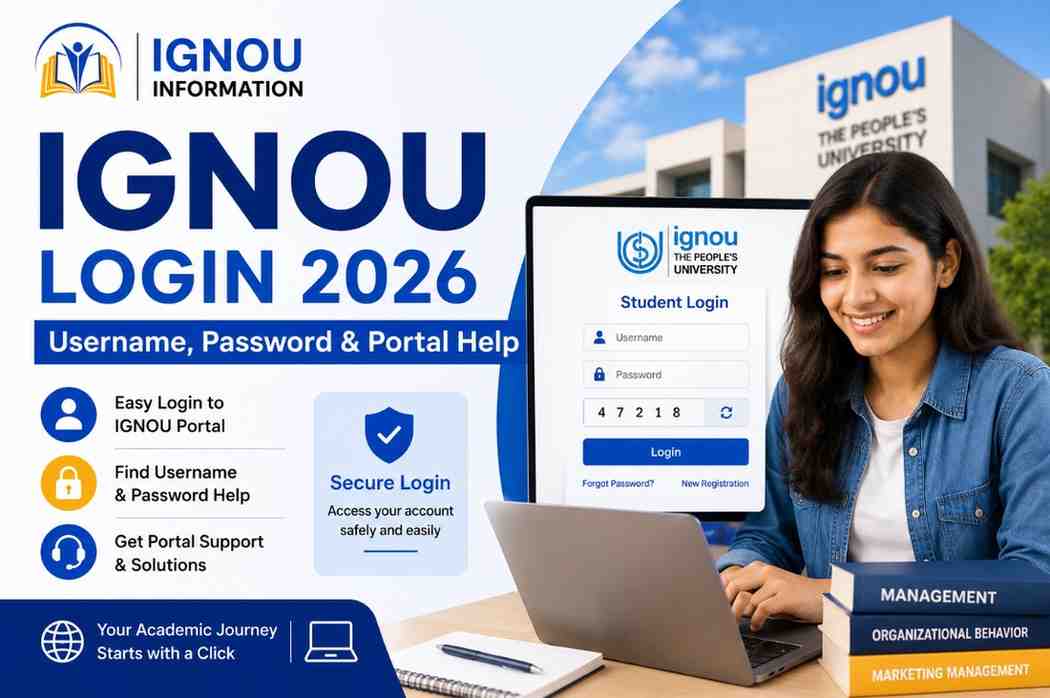
1. Open the official login page: https://ignou.samarth.edu.in/index.php/site/login.
2. Enter the username created during Samarth registration. Do not automatically enter an admission application number unless the portal specifically accepts it.
3. Type the password carefully. Passwords are case-sensitive, so check Caps Lock and any extra spaces.
4. Complete the captcha if it appears, then select Login.
5. After the account opens, choose only the service relevant to your current task and session.
If you saved your password in the browser months ago, type it manually once before resetting it. An old autofilled password is a surprisingly common reason for a failed login.
How to Register on the Samarth Student Portal for the First Time
This registration is for a learner whose admission record already exists. It is not the application process for fresh admission. Keep your IGNOU ID card or admission confirmation nearby so the spelling and enrolment details match the university record.
1. Open the official Student Portal and select New Registration.
2. Choose your programme.
3. Enter your name exactly as it appears on the IGNOU ID card or student record.
4. Select the available registration mode, such as Enrolment Number or Examination Roll Number, and enter the correct number.
5. Provide the mobile number and email address linked to your IGNOU record.
6. Verify the OTP received by SMS or email.
7. Create a strong password and save the username generated by the portal.
Important: If you are applying to IGNOU for the first time, do not use this process. Start from the official ODL admission portal or the online programme admission portal, depending on the programme mode.
How to Reset an IGNOU Samarth Password
Use the reset option on the same portal where the account was created:
1. Open the official Student Portal login page.
2. Select Reset Password or Forgot Password, as displayed on the page.
3. Enter the requested account details exactly as registered with IGNOU.
4. Complete OTP verification through the registered mobile number or email address.
5. Create a new password, confirm it and log in again using the new password.
If the OTP is going to an old mobile number or email address, repeated reset attempts will not solve the problem. Contact the Regional Centre to request correction or account assistance. Keep your enrolment number and a valid ID ready, but never share your OTP or password.
Forgot Username or Cannot Complete Registration
A student may remember the enrolment number but forget the username created during portal registration. First check the confirmation SMS or email received when the account was created. Also check the spam folder and any password manager used at that time. If the username cannot be recovered, or registration fails because the mobile number or email does not match the university record, contact the relevant IGNOU Regional Centre. This is also the official route mentioned on the re-registration portal for OTP, username, password and contact-detail problems.
Related guide: How to update an IGNOU mobile number or email address
Common IGNOU Samarth Portal Errors and Fixes
|
Problem |
Likely reason |
What to do |
|
Invalid username or password |
Wrong portal, typing error, old saved password or incorrect username |
Confirm the URL, type the credentials manually, check Caps Lock and use Reset Password if needed. |
|
Student record not found |
Admission is not confirmed, details do not match, or the record has not synced |
Check admission status and retry later. Use the exact name, programme and enrolment number shown in official records. |
|
OTP not received |
Old contact details, network delay, full inbox or spam filtering |
Wait a few minutes, check spam, avoid repeated requests and contact the Regional Centre if the registered contact is inaccessible. |
|
Captcha not visible or keeps failing |
Cached page, browser extension or expired captcha |
Refresh once, clear cache, use a current browser or private window, and type the newly displayed captcha. |
|
Page is slow or not opening |
Heavy traffic, maintenance or unstable internet |
Check the official URL, change network or browser and try again after some time. Avoid repeated payment attempts. |
|
Service option is missing |
Wrong portal, inactive submission window or programme/session ineligibility |
Check the current IGNOU notice and the dedicated portal for that service. A missing option does not always mean an account error. |
|
Payment deducted but status not updated |
Payment gateway or status-sync delay |
Do not pay again immediately. Save the transaction reference, wait at least one day and recheck before escalating. |
What to Do If Payment Is Deducted but the Portal Shows Pending
Do not make a second payment the moment the status appears pending. IGNOU's re-registration instructions advise students to wait for a day and check the payment status before deciding whether another payment is necessary. Save the payment receipt, bank or UPI reference number and submission date. Take a screenshot that shows the application or transaction status without exposing passwords, OTPs or full card details. Log in again after the suggested waiting period and check the acknowledgement or payment status. If the status remains unresolved, contact the office responsible for that service or submit a traceable grievance through iGRAM.
For escalation steps, read: IGNOU iGRAM Portal 2026 guide
Re-registration Is Different from Samarth Student Registration
The New Registration button on the Student Portal creates access to a current-student account. Re-registration, on the other hand, is the academic process through which an existing learner continues to the next semester or year and pays the applicable programme fee. For re-registration, begin at onlinerr.ignou.ac.in and follow the instructions shown for the active session. The July 2026 cycle displayed a final extended date of 30 September 2026 with a Rs 200 late fee; that date has passed. Do not keep an expired deadline in a permanent login guide. Link readers to a regularly updated re-registration article instead. Latest process and deadline page: IGNOU Re-registration 2026
When to Contact the Regional Centre
Contact your Regional Centre when the issue depends on the student record rather than the browser. Typical cases include:
The registered mobile number or email address is no longer accessible. OTP does not arrive after reasonable retry attempts. The portal cannot find a confirmed student's record. The name, programme or enrolment details do not match official records. Username or password recovery cannot be completed online. Before contacting the centre, keep your enrolment number, programme code, admission session, registered contact details and a short description of the error ready. Share only the information needed to identify the record. Need the right contact? Use the IGNOU Helpline Number 2026 guide.
Security Tips for IGNOU Portal Users
Check the domain before entering credentials. Official IGNOU and Samarth pages use ignou.ac.in or samarth.edu.in domains.
Never share an OTP, password, UPI PIN or full card details with a caller, cybercafe operator or social-media account.
Use your own email address and mobile number so you can receive recovery messages.
Download receipts and acknowledgements immediately after submission.
Log out after using a shared device and remove any saved password or downloaded personal document.
Frequently Asked Questions
What is the official IGNOU Samarth Portal login link
The official student login page is https://ignou.samarth.edu.in/index.php/site/login. Use it after admission is confirmed and the university has created your student record.
Can a new applicant use the Student Portal for admission
No. A new ODL applicant should use ignouadmission.samarth.edu.in. Applicants for online programmes should use the online admission portal announced by IGNOU. The Student Portal is intended for admitted learners.
Why does the portal say that my record is not found
The admission may still be under review, the record may not have synced, or one of the entered details may not match IGNOU's database. Check the admission status and use the exact name, programme and enrolment number shown in official records.
If an enrolment number has not arrived, follow this guide: IGNOU enrolment number not received
How can I reset my password if my mobile number has changed
You may not be able to complete OTP verification yourself. Contact the Regional Centre and request help with the registered contact details or account reset. Never ask an unofficial agent to bypass verification.
Are the admission and Samarth Student Portal passwords the same
Not necessarily. Treat them as separate accounts unless the relevant page explicitly says otherwise. Using admission credentials on the current-student login page is a common cause of an invalid-login message.
Why is the re-registration option not visible
The active cycle may be closed, your programme may not yet be eligible, or you may be checking the wrong portal. Open the official re-registration page and read the notice for the current session before assuming the student account is faulty.
Can I download my IGNOU ID card through Samarth
IGNOU's official prospectus directs students to ignou.samarth.edu.in for the Student ID card. The option becomes useful after admission is confirmed and the record is available.
Step-by-step help: IGNOU ID Card Download 2026
Final Advice
Most IGNOU login problems become easier once you identify the correct portal. Use the Student Portal only after admission, the admission portal for a new application and the re-registration portal when continuing your programme. Save every username, receipt and acknowledgement, and use the Regional Centre or iGRAM when the issue involves your official student record.
Editor Notes Before Publishing
Replace the existing article body rather than publishing this rewrite on a new URL. Remove the expired 30 June 2026 re-registration deadline and the incorrect flat Rs 300 re-registration fee claim. Do not claim that fresh admission, hall ticket, grade card, assignments and every other service are all completed from one Samarth login. Do not use ‘IGNOU Student Dashboard’ in the meta title, H1, first paragraph or repeated subheadings. Add an Article updated date of 16 October 2026 and review portal instructions whenever IGNOU changes a login screen. Add FAQ schema only for questions and answers that are visibly present on the page.
Official Sources Used for Fact Checking
IGNOU Online Admission instructions
Apply Now
Please fill the form with the correct details
Trending Posts










![IGNOU Result 2026 [Check Now]: Result Updated](/admin/admin-assets/img/blogs/1787220864.jpg)





![IGNOU B.Ed Admission 2026 [Apply Before Deadline] – Complete Guide On Eligibility And Fees](/admin/admin-assets/img/blogs/1786518241.jpeg)














![IGNOU ID Card Download 2026 [Direct Link] Enrollment No., PDF Password & Step-by-Step Guide](/admin/admin-assets/img/blogs/1782287869.jpeg)
































Frequently Asked Questions
Find answers to common questions