IGNOU Fees Online Payment Guide 2026: Steps, Receipt, and Portal
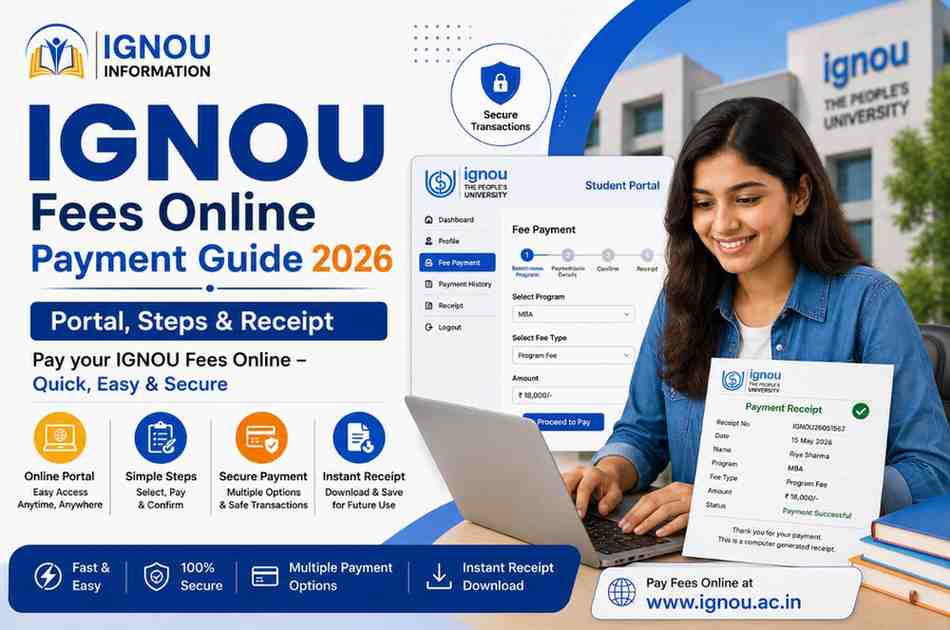
IGNOU Fees Online Payment Guide 2026: Steps, Receipt, and Portal
If you're an Indira Gandhi National Open University (IGNOU) student, you know how important it is to pay your semester or annual fees to maintain your enrollment. Because of the regional centers and long lines, thousands of students search for a reliable solution to pay their IGNOU fees online. Fortunately, IGNOU has made this process fully digitized. Here, at IGNOU Information, we provide our readers the most recent updates on the IGNOU fees online payment process, including the steps, portal links, and troubleshooting for common issues. Because we understand how important it is for you to pay your fees on time.
With so much written about IGNOU fee online payment, we have created this ultimate guide to help you navigate the portal and steps to pay your fees online, all the payment methods, how to download the receipt, and the refund policy and FAQs. Whether you are a new student or past student, this guide is made to help you through this process with the least amount of technical jargon.
Read This:- Top 10 Courses After BA in 2026
The Importance of Paying Your Fees on Time
Before we consider the steps involved in making your fees payment, it is essential to know the importance of adhering to the IGNOU fees online payment deadline. IGNOU has a strict academic schedule, and failing to make timely payments may lead to the following problems:
- Delay in your study materials being sent to you
- Inability to sit for the Term End Exams (TEE)
- Admission or Re-registration may be canceled
- You may incur an additional late fee
|
NOTE To avoid all the above problems, make your IGNOU fees online payment long before the deadline. In an unfortunate case where you have to make a payment close to the deadline, the online payment portal may become unresponsive, and your transaction may be unsuccessful. |
How to Pay Fees at IGNOU
Depending on whether you are a new or an existing student, fees payment at IGNOU is processed through different portals:
- New students and students enrolling in ODL and online programs have to use ignouadmission.samarth.edu.in
- Existing students of ODL have to use onlinerr.ignou.ac.in for re-registration fee payment
- For grievance and additional fees-related services, the student may use the igram.ignou.ac.in
As a best practice, and to remain on the safer side, students should verify that they are visiting IGNOU’s official site for payment and service links by checking for URL spoofing. Bookmarking the official service payment links is a good habit and saves time and trouble
Most Related:- IGNOU Fees Structure 2026–27 (Course-Wise)
How to Pay Fees at IGNOU — A Step by Step Guide
In this guide we provide you with a step-by-step guide on how to make your fees payment at IGNOU, whether you are a new student or an existing student.
For New Students
- The first step for you is to go to the official Samarth based admission portal.
- Login using the email id you registered with and the password you set when you submitted your application.
- Go to the “Programme Details” or “Fee Payment” sections on your dashboard.
- Check your programme, subjects, and fee amount.
- Click on “Proceed to Pay” to open the secure payment gateway.
- Choose your payment option.
- Then, complete your transaction and wait for the confirmation page.
Payment receipts can only be saved after this page is confirmed.
For Re-Registration (Continuing Students)
- Go to the official re-registration portal.
- Login with your enrollment number and password.
- Select your session, either January or July.
- Then, select the courses you wish to either continue with or newly opt for.
- Check the total fee on the screen.
- Go to the payment gateway to complete the transaction.
- Save the re-registration confirmation slip and receipt.
Following these steps carefully ensures your IGNOU fees online payment is processed without errors. IGNOU Information suggests keeping a stable internet connection throughout the transaction to avoid payment failures midway.
Online Payment Options
IGNOU’s online payment gateway makes paying IGNOU fees online simple no matter what bank you usually transact with. Though payment methods may vary by bank, IGNOU online payment system typically accepts:
- Visa, Mastercard, and RuPay Debit and Credit Cards
- Net Banking with most major Indian banks
- UPI including Google Pay, PhonePe, Paytm, BHIM, and others
Before completing the payment, students should check that their card or UPI app has sufficient balance or money, as IGNOU does not process refunds for failed transactions. Doubly charged transactions or failed transactions where the payment has been deducted and no receipt was generated will be refunded after 5–7 working days in the absence of an auto-reversal. In such cases, a grievance can be raised through the IGNOU portal.
Receiving Payment Confirmation
Receiving the payment confirmation is important for students since the receipt may be required for grievance requests, submission of the exam form, or verification of the payment made for the academic transactions. Payment confirmation receipts can be downloaded from the payment portal by logging into the payment portal and selecting the Payment History or Transaction Details section, locating the transaction, and selecting the option to receipt download or print. It is recommended by IGNOU that students keep a physical copy of the receipt and also store a digital copy since the receipts will be useful for claims for scholarships and refunds from employers or to resolve any disputes.
Frequent Issues People Face Making Payments Online
A lot of students contact IGNOU Information to report issues about failed payments. Below are some common issues and solutions.
Common Issues when Making a Payment Online
|
Issue |
Cause |
Solution |
|---|---|---|
|
Payment Deducted but No Receipt Issued |
Payment portals are often run on remote servers. Issues can occur on the server end as well as the network end. |
Wait for 24 to 48 hours and check your bank statement. If the payment is not reflected, you can submit a grievance. |
|
The Payment Portal will not Load |
This can happen when there is high traffic on the payment portal. |
Try again during the early morning hours when there is low traffic. |
|
One Time Password not Received |
This is likely to be a delay issue that has occurred on the bank's end |
Wait a few minutes and try again. Alternatively, you can choose a different payment method. |
|
Incorrect Fee Payment Displayed |
This can happen when there is an error in selection of the program or course. |
Please verify the selection of your subjects before proceeding with the payment. |
|
Payment Session Times Out |
This is caused by a lack of activity in the browser |
Do not switch to another tab. |
Policy for Refunds for IGNOU Fee Payment
The IGNOU will issue a refund of fees that are paid for a program in the case that the student withdraws from the program. IGNOU will refund payments that have been made in error, but the university sets the rules for refunds, including timelines. Refunds are more frequently processed through grievance portals and regional centers, but payment refunds will take weeks to process. The regional centers are the best way to obtain the most current and accurate information regarding your payment refund and the policies surrounding the current academic session.
Best Practices for Making IGNOU Fee Payment Online
|
TIPS FOR APPLICANTS Increased server demand occurs on the final days for payments. To avoid these issues, payments should be made well in advance of payment deadline. Payments should be made over a stable and secure connection. Do not click the back button or refresh the page when processing your transaction. Keep your enrollment number, program code, and registered mobile number nearby. Downloads your receipt and take a screenshot of the confirmation page. Verify the payment before you pay the fees. |
IGNOU Information does its best to help. Following the little steps they take does reduce the amount of times you stress yourself and have to repeat the process.
Fee Structure Overview
The fees associated with a program of study at IGNOU can either be a Certificate/Diploma course, a Bachelor’s or Master’s degree. While IGNOU has a standardized system of online fee payment for all the courses regardless of faculty, study materials, and other resources, students are encouraged to check the latest fee structure of their program at the official IGNOU website or regional center, prior to making the payment, as IGNOU does revise their fees from time to time.
Generally speaking, fees can be categorized into:
- The main academic fee is the Programme fee
- A mandatory, one-time Admission fee is the Registration fee
- The fee for the next academic session for all the Continuing students is the Re-registration fee
- The fee for taking the course/subject assessment is the Examination fee, and is normally included in the Programme fee. However, some professional degree courses may charge it separately.
Due to revision of fee structures, IGNOU Information recommends that you verify the fee amount that appears in your IGNOU dashboard prior to making the online payment, as you cannot rely on the figures that are on the old circulars, unofficial websites, etc.
Does IGNOU Allow Fees to be Paid in Installments?
For some professional and technical programs, IGNOU has installment payment programs. If this applies to you, the installment payment option will show up automatically on the payment portal with the due dates for each installment. Students should keep the same discipline when paying fee installments as when paying the full fee, because there will be the same penalty for not paying the installments on time as there would be for not paying the full fee on time. The most reliable way to find out if your program has the option to pay in installments is to check your dashboard after logging into your account, since not all programs have this option.
Admission Fee Vs. Re-Registration Fee
New students tend to confuse the two, so this is for your clarification. The admission fee is a one time fee and is charged when you take a fresh admission into a program. It covers the first semester/year fee and includes a one time registration fee. The re-registration fee is charged in the subsequent semesters/years to the students who continue with the same program and does not include the one time registration fee. In both the cases, students have to pay the fee on the IGNOU payment portal, and the fee heads on the payment screen will be different, so students need to pay attention to the fee break up to avoid confusion.
Mobile Payments
More IGNOU students are opting to pay their fees on their mobile devices instead of their desktops. To avoid failed transactions, it is important to note the following:
- Make sure the mobile browser is the latest version
- Avoid mobile data-saving and lite browser modes. These modes can block payment gateway pop-ups.
- To avoid an unexpected mobile shutdown, keep the mobile device connected to power for the transaction.
- If a UPI app is being used, make sure there is adequate balance in the app and in the account, and that the app is updated.
- For IGNOU transactions, higher levels of screen real estate are helpful for reviewing and verifying information. Therefore, the Institute recommends the use of desktops and laptops for fee payment.
Final Thoughts
Getting your IGNOU pre-admission or re-registration online fee payment done does not have to be a hassle. With a few minutes and a stable connection to the proper online portal, IGNOU’s payment system is designed to be user-friendly and accessible for students throughout the country, including those in remote parts of the country.
At IGNOU Information, we want to help every student — both the beginner digital users and the experts — complete every step to make the fee payment without the stress of deadline day chaos. We expect this guide answers all your questions about the payment, the issues that arise, and what to do with receipts. With our frequent updates, IGNOU Information will answer your questions about the schedule, the changes to the portal, and other details about your academic journey with IGNOU.
Frequently Asked Questions
Q1. What is the official portal to pay IGNOU fees online?
The new Samarth admission system portal processes all new admissions, while the online re-registration portal handles re-registration fee payments.
Q2. Can IGNOU fees be paid via UPI?
The IGNOU payment gateway supports payment via the UPI system and the use of debit and credit cards and net banking.
Q3. What do I do when payment is finished, but the receipt is not issued?
Check your statement in the following 24–48 hours. If you see no reversal and no payment, lodge a grievance on the official grievance portal.
Q4. How do I get a refund of the fees that I have paid?
Yes, under certain conditions fees can be refunded, however, you will need to verify the conditions, processes, and timelines with your regional center, as the university updates policies regularly.
Q5. How do I get my IGNOU fee payment receipt after I’ve already paid?
You need to log into the portal you made the payment on. Then you can go to either the transaction or the payment history section. Your payment receipt will be available in PDF format for download.
Q6. What are the consequences of missing the fee payment deadline?
There will be consequences for you and you can expect the following: late fee to be charged to you, study material will be sent at a later time, and in some cases, you will not be allowed to take the upcoming term-end examination.
If you're an Indira Gandhi National Open University (IGNOU) student, you know how important it is to pay your semester or annual fees to maintain your enrollment. Because of the regional centers and long lines, thousands of students search for a reliable solution to pay their IGNOU fees online. Fortunately, IGNOU has made this process fully digitized. Here, at IGNOU Information, we provide our readers the most recent updates on the IGNOU fees online payment process, including the steps, portal links, and troubleshooting for common issues. Because we understand how important it is for you to pay your fees on time.
With so much written about IGNOU fee online payment, we have created this ultimate guide to help you navigate the portal and steps to pay your fees online, all the payment methods, how to download the receipt, and the refund policy and FAQs. Whether you are a new student or past student, this guide is made to help you through this process with the least amount of technical jargon.
Read This:- Top 10 Courses After BA in 2026
The Importance of Paying Your Fees on Time
Before we consider the steps involved in making your fees payment, it is essential to know the importance of adhering to the IGNOU fees online payment deadline. IGNOU has a strict academic schedule, and failing to make timely payments may lead to the following problems:
- Delay in your study materials being sent to you
- Inability to sit for the Term End Exams (TEE)
- Admission or Re-registration may be canceled
- You may incur an additional late fee
|
NOTE To avoid all the above problems, make your IGNOU fees online payment long before the deadline. In an unfortunate case where you have to make a payment close to the deadline, the online payment portal may become unresponsive, and your transaction may be unsuccessful. |
How to Pay Fees at IGNOU
Depending on whether you are a new or an existing student, fees payment at IGNOU is processed through different portals:
- New students and students enrolling in ODL and online programs have to use ignouadmission.samarth.edu.in
- Existing students of ODL have to use onlinerr.ignou.ac.in for re-registration fee payment
- For grievance and additional fees-related services, the student may use the igram.ignou.ac.in
As a best practice, and to remain on the safer side, students should verify that they are visiting IGNOU’s official site for payment and service links by checking for URL spoofing. Bookmarking the official service payment links is a good habit and saves time and trouble
Most Related:- IGNOU Fees Structure 2026–27 (Course-Wise)
How to Pay Fees at IGNOU — A Step by Step Guide
In this guide we provide you with a step-by-step guide on how to make your fees payment at IGNOU, whether you are a new student or an existing student.
For New Students
- The first step for you is to go to the official Samarth based admission portal.
- Login using the email id you registered with and the password you set when you submitted your application.
- Go to the “Programme Details” or “Fee Payment” sections on your dashboard.
- Check your programme, subjects, and fee amount.
- Click on “Proceed to Pay” to open the secure payment gateway.
- Choose your payment option.
- Then, complete your transaction and wait for the confirmation page.
Payment receipts can only be saved after this page is confirmed.
For Re-Registration (Continuing Students)
- Go to the official re-registration portal.
- Login with your enrollment number and password.
- Select your session, either January or July.
- Then, select the courses you wish to either continue with or newly opt for.
- Check the total fee on the screen.
- Go to the payment gateway to complete the transaction.
- Save the re-registration confirmation slip and receipt.
Following these steps carefully ensures your IGNOU fees online payment is processed without errors. IGNOU Information suggests keeping a stable internet connection throughout the transaction to avoid payment failures midway.
Online Payment Options
IGNOU’s online payment gateway makes paying IGNOU fees online simple no matter what bank you usually transact with. Though payment methods may vary by bank, IGNOU online payment system typically accepts:
- Visa, Mastercard, and RuPay Debit and Credit Cards
- Net Banking with most major Indian banks
- UPI including Google Pay, PhonePe, Paytm, BHIM, and others
Before completing the payment, students should check that their card or UPI app has sufficient balance or money, as IGNOU does not process refunds for failed transactions. Doubly charged transactions or failed transactions where the payment has been deducted and no receipt was generated will be refunded after 5–7 working days in the absence of an auto-reversal. In such cases, a grievance can be raised through the IGNOU portal.
Receiving Payment Confirmation
Receiving the payment confirmation is important for students since the receipt may be required for grievance requests, submission of the exam form, or verification of the payment made for the academic transactions. Payment confirmation receipts can be downloaded from the payment portal by logging into the payment portal and selecting the Payment History or Transaction Details section, locating the transaction, and selecting the option to receipt download or print. It is recommended by IGNOU that students keep a physical copy of the receipt and also store a digital copy since the receipts will be useful for claims for scholarships and refunds from employers or to resolve any disputes.
Frequent Issues People Face Making Payments Online
A lot of students contact IGNOU Information to report issues about failed payments. Below are some common issues and solutions.
Common Issues when Making a Payment Online
|
Issue |
Cause |
Solution |
|---|---|---|
|
Payment Deducted but No Receipt Issued |
Payment portals are often run on remote servers. Issues can occur on the server end as well as the network end. |
Wait for 24 to 48 hours and check your bank statement. If the payment is not reflected, you can submit a grievance. |
|
The Payment Portal will not Load |
This can happen when there is high traffic on the payment portal. |
Try again during the early morning hours when there is low traffic. |
|
One Time Password not Received |
This is likely to be a delay issue that has occurred on the bank's end |
Wait a few minutes and try again. Alternatively, you can choose a different payment method. |
|
Incorrect Fee Payment Displayed |
This can happen when there is an error in selection of the program or course. |
Please verify the selection of your subjects before proceeding with the payment. |
|
Payment Session Times Out |
This is caused by a lack of activity in the browser |
Do not switch to another tab. |
Policy for Refunds for IGNOU Fee Payment
The IGNOU will issue a refund of fees that are paid for a program in the case that the student withdraws from the program. IGNOU will refund payments that have been made in error, but the university sets the rules for refunds, including timelines. Refunds are more frequently processed through grievance portals and regional centers, but payment refunds will take weeks to process. The regional centers are the best way to obtain the most current and accurate information regarding your payment refund and the policies surrounding the current academic session.
Best Practices for Making IGNOU Fee Payment Portal
Best Practices for Making IGNOU Fee Payment Online
|
TIPS FOR APPLICANTS Increased server demand occurs on the final days for payments. To avoid these issues, payments should be made well in advance of payment deadline. Payments should be made over a stable and secure connection. Do not click the back button or refresh the page when processing your transaction. Keep your enrollment number, program code, and registered mobile number nearby. Downloads your receipt and take a screenshot of the confirmation page. Verify the payment before you pay the fees. |
IGNOU Information does its best to help. Following the little steps they take does reduce the amount of times you stress yourself and have to repeat the process.
Fee Structure Overview
The fees associated with a program of study at IGNOU can either be a Certificate/Diploma course, a Bachelor’s or Master’s degree. While IGNOU has a standardized system of online fee payment for all the courses regardless of faculty, study materials, and other resources, students are encouraged to check the latest fee structure of their program at the official IGNOU website or regional center, prior to making the payment, as IGNOU does revise their fees from time to time.
Generally speaking, fees can be categorized into:
- The main academic fee is the Programme fee
- A mandatory, one-time Admission fee is the Registration fee
- The fee for the next academic session for all the Continuing students is the Re-registration fee
- The fee for taking the course/subject assessment is the Examination fee, and is normally included in the Programme fee. However, some professional degree courses may charge it separately.
Due to revision of fee structures, IGNOU Information recommends that you verify the fee amount that appears in your IGNOU dashboard prior to making the online payment, as you cannot rely on the figures that are on the old circulars, unofficial websites, etc.
Does IGNOU Allow Fees to be Paid in Installments?
For some professional and technical programs, IGNOU has installment payment programs. If this applies to you, the installment payment option will show up automatically on the payment portal with the due dates for each installment. Students should keep the same discipline when paying fee installments as when paying the full fee, because there will be the same penalty for not paying the installments on time as there would be for not paying the full fee on time. The most reliable way to find out if your program has the option to pay in installments is to check your dashboard after logging into your account, since not all programs have this option.
Admission Fee Vs. Re-Registration Fee
New students tend to confuse the two, so this is for your clarification. The admission fee is a one time fee and is charged when you take a fresh admission into a program. It covers the first semester/year fee and includes a one time registration fee. The re-registration fee is charged in the subsequent semesters/years to the students who continue with the same program and does not include the one time registration fee. In both the cases, students have to pay the fee on the IGNOU payment portal, and the fee heads on the payment screen will be different, so students need to pay attention to the fee break up to avoid confusion.
Mobile Payments
More IGNOU students are opting to pay their fees on their mobile devices instead of their desktops. To avoid failed transactions, it is important to note the following:
- Make sure the mobile browser is the latest version
- Avoid mobile data-saving and lite browser modes. These modes can block payment gateway pop-ups.
- To avoid an unexpected mobile shutdown, keep the mobile device connected to power for the transaction.
- If a UPI app is being used, make sure there is adequate balance in the app and in the account, and that the app is updated.
- For IGNOU transactions, higher levels of screen real estate are helpful for reviewing and verifying information. Therefore, the Institute recommends the use of desktops and laptops for fee payment.
Final Thoughts
Getting your IGNOU pre-admission or re-registration online fee payment done does not have to be a hassle. With a few minutes and a stable connection to the proper online portal, IGNOU’s payment system is designed to be user-friendly and accessible for students throughout the country, including those in remote parts of the country.
At IGNOU Information, we want to help every student — both the beginner digital users and the experts — complete every step to make the fee payment without the stress of deadline day chaos. We expect this guide answers all your questions about the payment, the issues that arise, and what to do with receipts. With our frequent updates, IGNOU Information will answer your questions about the schedule, the changes to the portal, and other details about your academic journey with IGNOU.
Frequently Asked Questions
Q1. What is the official portal to pay IGNOU fees online?
The new Samarth admission system portal processes all new admissions, while the online re-registration portal handles re-registration fee payments.
Q2. Can IGNOU fees be paid via UPI?
The IGNOU payment gateway supports payment via the UPI system and the use of debit and credit cards and net banking.
Q3. What do I do when payment is finished, but the receipt is not issued?
Check your statement in the following 24–48 hours. If you see no reversal and no payment, lodge a grievance on the official grievance portal.
Q4. How do I get a refund of the fees that I have paid?
Yes, under certain conditions fees can be refunded, however, you will need to verify the conditions, processes, and timelines with your regional center, as the university updates policies regularly.
Q5. How do I get my IGNOU fee payment receipt after I’ve already paid?
You need to log into the portal you made the payment on. Then you can go to either the transaction or the payment history section. Your payment receipt will be available in PDF format for download.
Q6. What are the consequences of missing the fee payment deadline?
There will be consequences for you and you can expect the following: late fee to be charged to you, study material will be sent at a later time, and in some cases, you will not be allowed to take the upcoming term-end examination
Apply Now
Please fill the form with the correct details
Trending Posts




![IGNOU Result 2026 [Check Now]: Result Updated](/admin/admin-assets/img/blogs/1787220864.jpg)





![IGNOU B.Ed Admission 2026 [Apply Before Deadline] – Complete Guide On Eligibility And Fees](/admin/admin-assets/img/blogs/1786518241.jpeg)















![IGNOU ID Card Download 2026 [Direct Link] Enrollment No., PDF Password & Step-by-Step Guide](/admin/admin-assets/img/blogs/1782287869.jpeg)


































Frequently Asked Questions
Find answers to common questions